How do I make a Flower Nose AI video from my selfie?
Updated:
Short answer
Upload one selfie or pet photo with the face toward the camera, pick the flower and the place, and MimicZip builds the whole pull. Check a 5-second bonus preview, then spend 1 credit on the 8-second 720p video. There is no prompt to write.
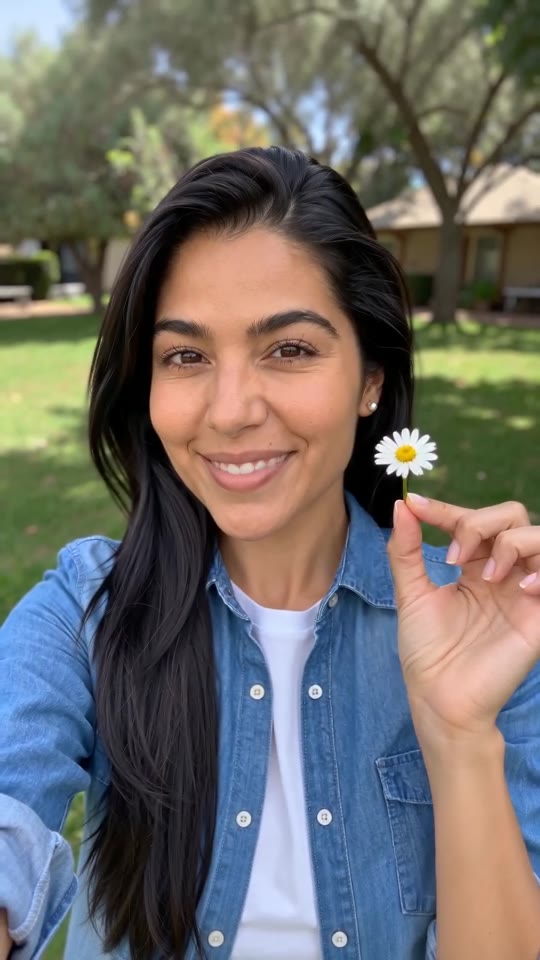
From one selfie to the daisy
- Open the template page. There is a single box. Use a sharp photo of one adult or one pet, face toward the camera, eyes open, head and shoulders in view, as JPG, PNG or WebP up to 10 MB.
- Pick the flower: a white daisy (the default), a red rose, a sunflower, a pink tulip, cherry blossom or a red poppy. Pick the face: scrunched squint, mild frown, dramatic wince, deadpan or holding back a giggle. Pick the place: your own background, a garden, a bedroom, a parked car, a kitchen or a beach. None changes the price.
- Pick 9:16 for TikTok, Reels and Shorts, or 16:9 for YouTube and desktop screens.
- Consent, login, pack. Tick the photo-consent box and sign in with Google. Previews come inside a pack.
- Check the preview. It is watch-only, 5 seconds at 480p, with a PREVIEW badge. Look at whether the face still matches your photo and whether the stem and the flower appear; it runs the beats faster than the full video.
- Render: 1 credit gives the 8-second 720p MP4 with no watermark, saved in My videos.
- Add the song and your caption in TikTok, starting the sound at its 2-second mark.
The beats already built in
The camera is a fixed selfie view of the head and shoulders. From 0 to 1.5 seconds the face is calm with the stem in a nostril. By 3 seconds a hand pinches the nose, the squint peaks around 4 seconds, the flower comes out at about 5 seconds and from 5.5 seconds it is held up with a smile.
A pet sits upright and uses a front paw. Nothing is lip-synced and no text is drawn; faces and timing shift a little each run.
After rendering
Download the MP4 or copy a share link from My videos. Our video follows seconds 2 to 10 of the @darraghomurchu post, so use that post’s sound from its 2-second mark; the sound guide has the steps.
Questions people ask
Do I need to write a prompt?
No. The camera, the framing and the order of the beats are fixed. You provide one photo and choose the flower, the place and the face.
Can the photo be a full selfie from arm's length?
Yes, as long as the face is large enough to see the eyes clearly. A tighter head-and-shoulders crop gives the most reliable result.
Can I close the page while it renders?
Yes. Rendering carries on at our end, and the finished video is saved under your account in My videos.
Make your own Flower Nose video
Upload one photo and make a 8-second HD video from $8.99. No subscription, and the full video has no watermark.
Make my video